


Learn to Read: Reading.com
4.7666.00 Reviews
App Specs
- Version
- 5.11.72
- Updated On
- License
- Free
- Downloads
- 1,000,000+
- Developer
- Teaching.com
- Categories
- Education
- Platform
- Android, iOS
Screenshots

 Analysis by AppCompare
When it comes to apps that help kids learn to read, Learn to Read: Reading.com is one of those gems that you can't help but fall in love with. As a parent or educator, finding a tool that makes learning fun and engaging is like striking gold. So, I decided to dive into this app to see what all the fuss is about. Spoiler alert: It lives up to the hype!
The First Impression
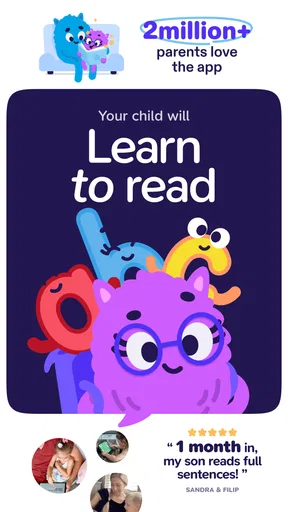
Let's talk about the initial vibe. From the moment I opened Learn to Read: Reading.com, I was greeted by a colorful and friendly interface. It's clear that the developers had kids in mind when designing this app. The navigation is intuitive, meaning your little one won’t need your help every step of the way. It’s all about independence, folks!
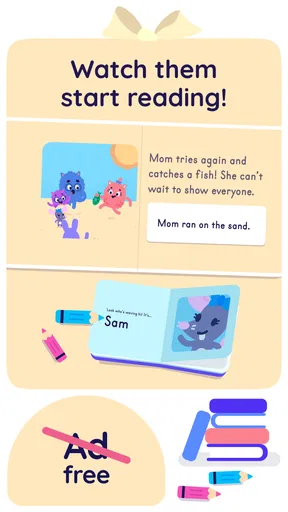
The app features a delightful mix of animations and illustrations that are both captivating and educational. The characters are relatable, and the scenarios presented are those kids can easily connect with, which makes them eager to dive into the learning process.
Core Features That Shine
Now, onto the good stuff. What makes this app tick? Well, it’s packed with features that cater to different learning styles. Here's what stood out to me:
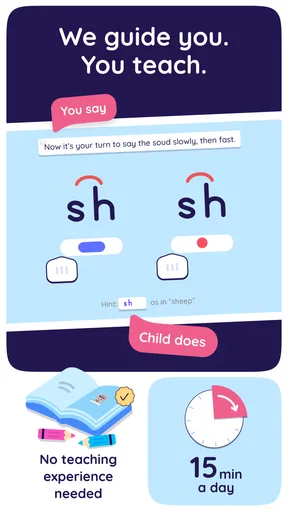
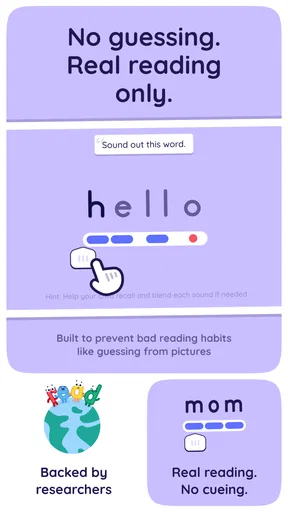
- Phonics-Based Learning: The app focuses heavily on phonics, which is a proven method to help kids understand how words are constructed. This is the foundation of reading, and it's done in a playful way that doesn’t feel like traditional schooling.
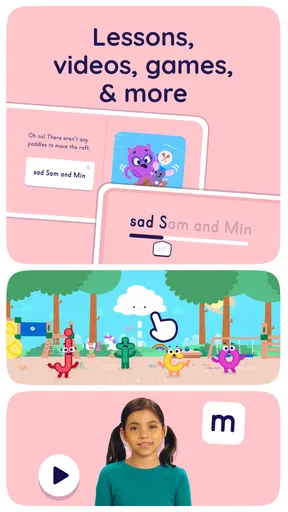
- Interactive Games: Who said learning can't be fun? With interactive games, kids are encouraged to apply what they’ve learned in a playful environment. This keeps them engaged and eager to progress.
- Personalized Learning Paths: One size doesn’t fit all, especially in education. The app adjusts to the child's learning pace, offering a personalized experience that’s both challenging and rewarding.
The User Experience
One of the best things about the app is how it adapts as your child grows. The levels increase in difficulty, ensuring that the learning curve is just right. Kids aren't left frustrated by content that's too challenging or bored by lessons that are too easy. It’s all about finding that sweet spot!
Another thing I love is the positive reinforcement throughout the app. It doesn’t just correct mistakes; it celebrates successes, no matter how small. This boosts confidence and encourages kids to keep trying, which is essential in the learning process.
Accessibility and Usability
The app is designed to be accessible for children of all abilities. The voice instructions are clear, and the text is large enough for easy reading. It’s a smooth experience whether your child is a beginner reader or just needs a little extra help.
Worth Reading Before You Choose

EA SPORTS FC Mobile 26 Is a Bigger Football Game, but It Takes Time

Flipboard Shows What News Apps Must Do Beyond the Feed

Switching to Android Auto Means Rethinking Your Driving Routine

Google Calendar Makes a Crowded Week Easier to Manage

Ludo King Makes the Most of the Minutes Between Plans

Baby Panda World Brings Quick Play to Modern Phones, but Its Game Library Feels Busy
Parents will appreciate the app's ease of use as well. There's no complicated setup or lengthy tutorials to worry about. Just download, set up your child’s profile, and off they go on their reading adventure!
Final Thoughts
In a sea of educational apps, Learn to Read: Reading.com stands out as a comprehensive and engaging tool for early readers. It’s a blend of fun and learning that keeps kids coming back for more, which is exactly what any parent or teacher wants. Plus, it’s a relief to find an app that doesn’t bombard you with ads or require constant in-app purchases.
Whether you're a parent looking to give your child a head start or an educator seeking a reliable classroom tool, this app is worth checking out. Download it, give it a try, and watch your child unlock the magic of reading. Trust me, you won’t be disappointed!
Pros
- Interactive lessons engage young readers.
- Wide variety of stories and activities.
- Adaptive difficulty suits individual progress.
- Offline mode available for uninterrupted learning.
- Child-friendly interface encourages exploration.
Cons
- Limited language options for non-English users.
- Subscription required for full content access.
- Occasional app crashes disrupt flow.
- Requires parental setup for initial use.
- No support for older operating systems.
FAQs for Learn to Read: Reading.com
What age group is Learn to Read: Reading.com suitable for?
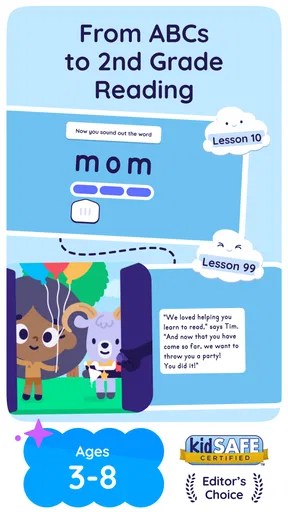
Learn to Read: Reading.com is designed for young children, typically ranging from ages 3 to 7. It focuses on early literacy skills, offering a structured approach to phonics, vocabulary building, and comprehension. Parents will find the content engaging and age-appropriate, making it a great tool for preschoolers and early elementary students.
Does Learn to Read: Reading.com require an internet connection?
While some features of Learn to Read: Reading.com may be accessible offline, to fully utilize the app's interactive and dynamic content, an internet connection is recommended. This ensures access to regular updates, new exercises, and the ability to track progress effectively, making the learning experience comprehensive and up-to-date.
Is there a subscription fee for Learn to Read: Reading.com?
Learn to Read: Reading.com offers a range of subscription options. Users can choose between monthly, quarterly, or annual plans, each with its own pricing structure. There may also be a free trial period available, allowing users to explore the app's features before committing to a paid subscription.
How does Learn to Read: Reading.com support different learning paces?
The app is designed with adaptive learning technology, allowing it to adjust to each child's unique pace. It offers personalized recommendations based on performance, ensuring that children are both challenged and supported. This approach helps maintain engagement and promotes efficient learning without overwhelming young users.
What kind of parental controls are available in Learn to Read: Reading.com?
Learn to Read: Reading.com includes robust parental controls, allowing parents to monitor their child's progress and set usage limits. Detailed progress reports provide insights into areas of strength and those needing improvement. Additionally, parents can control access to certain features, ensuring a safe and focused learning environment.


